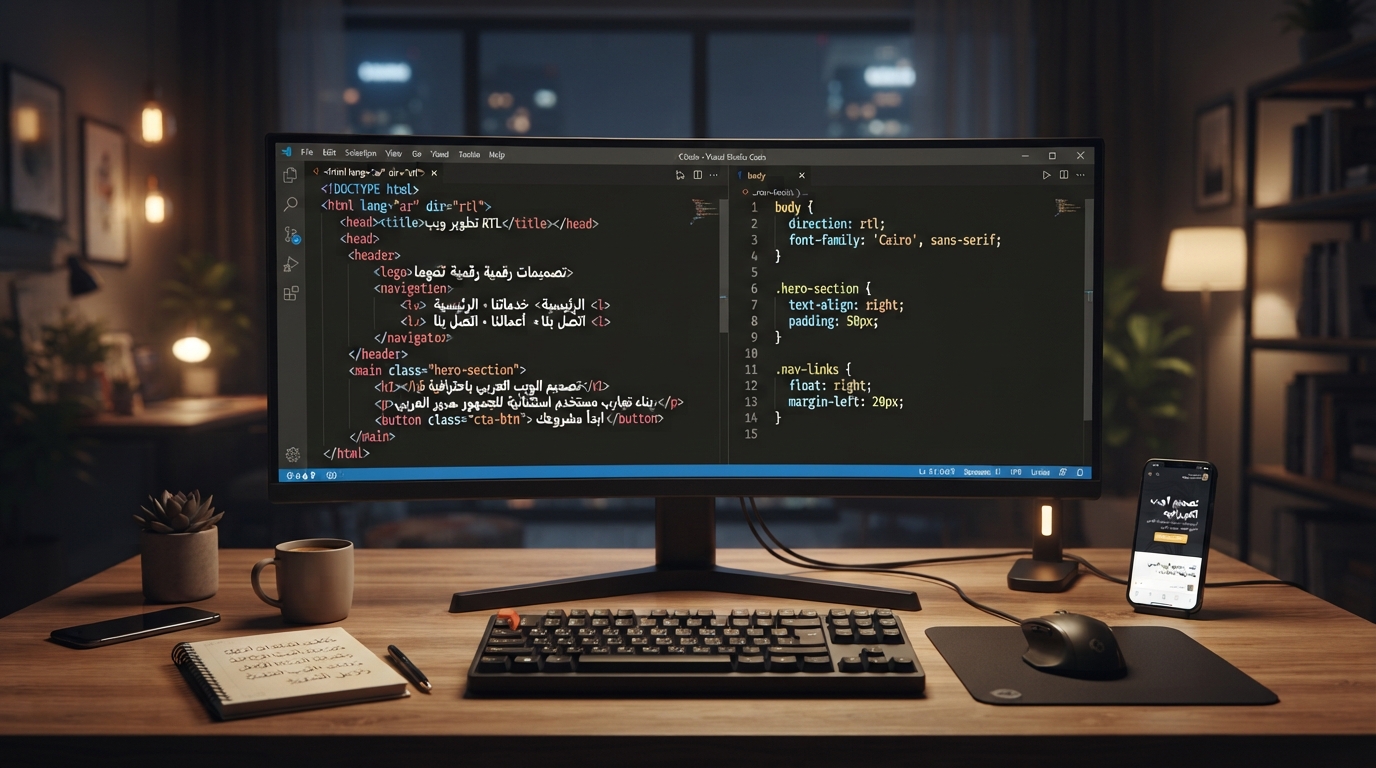
Most RTL bugs aren't really about Arabic at all — they're layout bugs that only surface once text starts flowing right to left. A sidebar padded on the wrong edge, a border-radius that looks mirrored incorrectly, a phone number that reads backward inside an Arabic sentence: these come from writing CSS and markup that quietly assumes left-to-right, then trying to patch the assumption with an override stylesheet instead of fixing it at the source. This is a guide for developers, not designers. It covers the actual browser mechanisms that determine direction — the dir attribute and the CSS direction property, the CSS logical properties that let you write layout code once instead of twice, the Unicode Bidirectional Algorithm that decides how mixed Arabic/Latin/number content actually gets displayed — and how to test any of it before it ships.
Set direction in HTML, not in CSS
The first decision point is easy to get backward: direction is markup, not styling. The W3C Internationalization Activity is explicit about this in its guidance on structural markup and right-to-left text: "Do not use CSS to apply base direction in HTML pages... directional information can affect the semantics of your content, and so should be part of the markup." The reasoning is that direction isn't just a visual property — a screen reader, a search indexer, or a browser's text-selection logic all need to know a paragraph's actual direction, and CSS can fail to load or apply while the HTML still has to make sense.
In practice, that means:
- If the whole document is Arabic, put
dir="rtl"on the<html>tag, not onbodyor in a stylesheet. - Below the root, use
dirsparingly — only on the specific elements where direction genuinely changes, like an English product code quoted inside Arabic body copy, or vice versa. - For content whose direction you can't predict ahead of time — a search box, a comment field, a chat message, anything user-generated — use
dir="auto". The browser inspects the first strong-direction character it finds and sets direction accordingly, per element, at render time.
CSS does have a direction property, and it does work, but MDN's reference on it carries the same warning: "Where possible, authors are encouraged to avoid using the direction CSS property and use the HTML dir global attribute instead." Two concrete reasons it matters: dir inherits into table cells from a table's column definitions, while CSS direction follows normal document-tree inheritance and doesn't; and direction only affects inline-level elements at all when unicode-bidi is also set to embed or override, which is one more thing to get right for no real benefit over just using the attribute. Reach for CSS direction only when you're styling the internals of a component and genuinely need to override direction independent of markup — not as your primary tool for RTL support.
Stop hardcoding left and right: CSS logical properties
Once direction is set correctly, the next problem is that most CSS still assumes it knows which way "left" is. margin-left, padding-right, border-left, text-align: left — all of these describe a physical side of the screen, which means an RTL layout needs a second, mirrored stylesheet to say the opposite thing. That's exactly what CSS logical properties exist to eliminate. Instead of describing a physical edge, they describe a position relative to the flow of the content: the inline axis (the direction text runs — left-to-right or right-to-left depending on direction) and the block axis (the direction blocks stack, normally top-to-bottom).
The mapping, in an RTL context, looks like this:
Logical property LTR equivalent RTL equivalentmargin-inline-start
margin-left
margin-right
margin-inline-end
margin-right
margin-left
padding-inline-start
padding-left
padding-right
padding-inline-end
padding-right
padding-left
border-inline-start
border-left
border-right
border-inline-end
border-right
border-left
margin-block-start / margin-block-end
margin-top / margin-bottom
unchanged
inset-inline-start / inset-inline-end
left / right (positioned elements)
swapped
Each also has a shorthand: margin-inline, padding-inline, and border-inline set both the start and end value in one declaration, the same way margin-inline: 1rem 2rem sets start then end. Border-radius has its own logical set too — border-start-start-radius, border-start-end-radius, and so on — for corners that need to follow the flow rather than a fixed physical corner. And for text alignment, text-align: start and text-align: end replace left and right the same way.
The payoff is real: write your component CSS once, using logical properties throughout, and flipping dir="rtl" on a parent element mirrors the whole thing automatically — no separate RTL stylesheet duplicating every rule with left and right swapped. What logical properties don't do is decide which icons should flip. A "next" arrow pointing to reading-order-forward should mirror in RTL; a play button, a clock icon, or a company logo generally shouldn't. That's a per-icon design decision, not something the CSS spec can resolve for you.
Why mixed content breaks: the Unicode Bidirectional Algorithm
Logical properties handle layout. They don't explain why a line mixing Arabic, English, and numbers sometimes reorders in ways that look wrong even when your CSS is correct — that's a text-rendering problem, governed by the Unicode Bidirectional Algorithm, documented in Unicode Standard Annex #9 (UAX #9).
The short version: every character in Unicode has a bidirectional type. Strong types include Left-to-Right (most Latin characters), Right-to-Left (Hebrew), and Arabic Letter; weak types include European Number and Arabic Number for digits; and there are neutral types for spaces and most punctuation. A paragraph's overall direction is established by its first strong-direction character — unless something overrides that guess, which is exactly what the HTML dir attribute is for. The algorithm then walks the text, resolves it into direction "runs," and reorders those runs for display. This is also why digits inside Arabic text still read left-to-right: numbers get a distinct bidi type that's laid out as its own left-to-right run, nested inside the surrounding right-to-left paragraph, rather than being reversed digit-by-digit.
Where it actually breaks in real applications is dynamic content. Concatenating strings in JavaScript — building "مرحبا بك في " + companyName + "!" — hands the browser a string where the paragraph-direction guess and the embedded runs can conflict, especially with punctuation at the boundary between scripts. A parenthesis, a colon, or an exclamation mark next to a Latin brand name inside Arabic text can end up on the visually wrong side because the algorithm had to guess how to treat a boundary the markup never described.
The fix is isolation: telling the algorithm explicitly "this span's direction shouldn't affect anything around it." HTML5 has a purpose-built element for this, <bdi> (bidirectional isolate) — wrap a username, a filename, a price, or any string whose direction you can't guarantee ahead of time in <bdi>, and its content is isolated from the surrounding paragraph's reordering. The CSS equivalent is unicode-bidi: isolate. Either one solves the class of bug where a single dynamic value quietly scrambles the punctuation around it.
Practical testing tips
- Don't test with Lorem Ipsum. Use real mixed content: an address with a Latin street name, a price with digits, a person's name — the boundary cases are where bidi bugs actually live.
- Force RTL in devtools rather than only testing a fully translated build. Chrome and Firefox both let you emulate document direction so you can sanity-check layout mirroring on real markup before translations exist.
- Stress-test punctuation. Parentheses, colons, and question marks inside a sentence that mixes Arabic and Latin words are the first place a bidi mismatch shows up.
- Check third-party embeds and icon fonts. Many ship LTR-only and need manual mirroring; logical properties won't touch anything injected by a widget you don't control.
- Verify flex and grid ordering. Modern browsers follow the writing direction automatically for
flex-direction: rowand grid auto-placement whendiris set correctly — but any hardcodedordervalue or absolute position built on physicalleft/rightstill needs converting to logical equivalents. - Read the page with a screen reader, not just visually. Direction and DOM/announcement order are related but not identical, and this is where RTL support and accessibility genuinely overlap.
None of this is exotic — it's a handful of specific mechanisms (an attribute, a set of property names, an algorithm with a documented spec) that most layout bugs trace back to. If you want real Arabic text to test any of the above against rather than placeholder strings, the Arabic calligraphy generator is a fast way to get properly shaped, connected Arabic text to drop into a layout — which also happens to be the next problem this series covers: even with direction and layout correct, Arabic script has its own rendering requirements at the font level, which is where OpenType's contextual shaping comes in. If mixed-script layout specifically is a recurring problem for you, pairing Arabic and Latin typefaces and the site's rundown of common Arabic typography mistakes are both worth reading alongside this one — mistake #2 on that list, wrong reading direction, is the design-facing symptom of exactly the bidi mechanics covered here.
Frequently asked questions
Do I need a separate stylesheet for RTL support?
No, not if you build with CSS logical properties instead of physical left/right values. Write your layout once using properties like margin-inline-start and text-align: start, and flipping the dir attribute mirrors the whole layout automatically. You'll still need to manually decide which icons should visually mirror, since that's a design call the CSS spec can't make for you.
What's the actual difference between the dir attribute and the CSS direction property?
The dir attribute is semantic markup that affects layout, text rendering, and accessibility, and it inherits into table cells the way CSS inheritance doesn't. The CSS direction property is a styling tool that only affects inline elements when paired with unicode-bidi, and both the W3C and MDN recommend using the dir attribute for document-level direction and reserving CSS direction for narrower component-level cases.
Why do numbers inside Arabic text still read left to right?
Digits are assigned a distinct bidirectional character type under the Unicode Bidirectional Algorithm, so they're laid out as their own left-to-right run embedded inside the surrounding right-to-left paragraph, rather than being reversed digit by digit.
How do I handle dynamic strings whose direction I can't predict, like a chat app or search box?
Use dir="auto" so the browser detects direction from the first strong-direction character, or wrap the dynamic value in the HTML <bdi> element (or apply CSS unicode-bidi: isolate) so it can't distort the reordering of the surrounding text.